
Every Tool, Tolerance & Workflow — Illustrated
Complete visual reference for CutClay Studio: blade millimeter tolerances, 2-part plunger stamps, seamless texture rollers, flexible silkscreen stencils, multi-piece dangle earrings, and 3D slicer setup.
New to CutClay Studio
Master the two-pane CAD sidebar, Clay Slab material swatches, and Quarter/Ruler real-world scale verification.
Explore Workspace Custom Art · Guide 03SVG, DXF & Sketch Import
Convert Procreate PNGs, Illustrator SVGs, and CAD DXF files cleanly into manifold watertight 3D cutters.
Read Import Rules Print Reliability · Guide 15Recommended Slicer Settings
Dial in Arachne wall generation, 0.4 mm nozzle speed, flow, and PLA cooling so razor blades never gap.
View Print ProfileGetting Started & Workspace
Learn the 3D CAD workspace, Clay Slab material previews, catalog navigation, and vector/sketch importing.
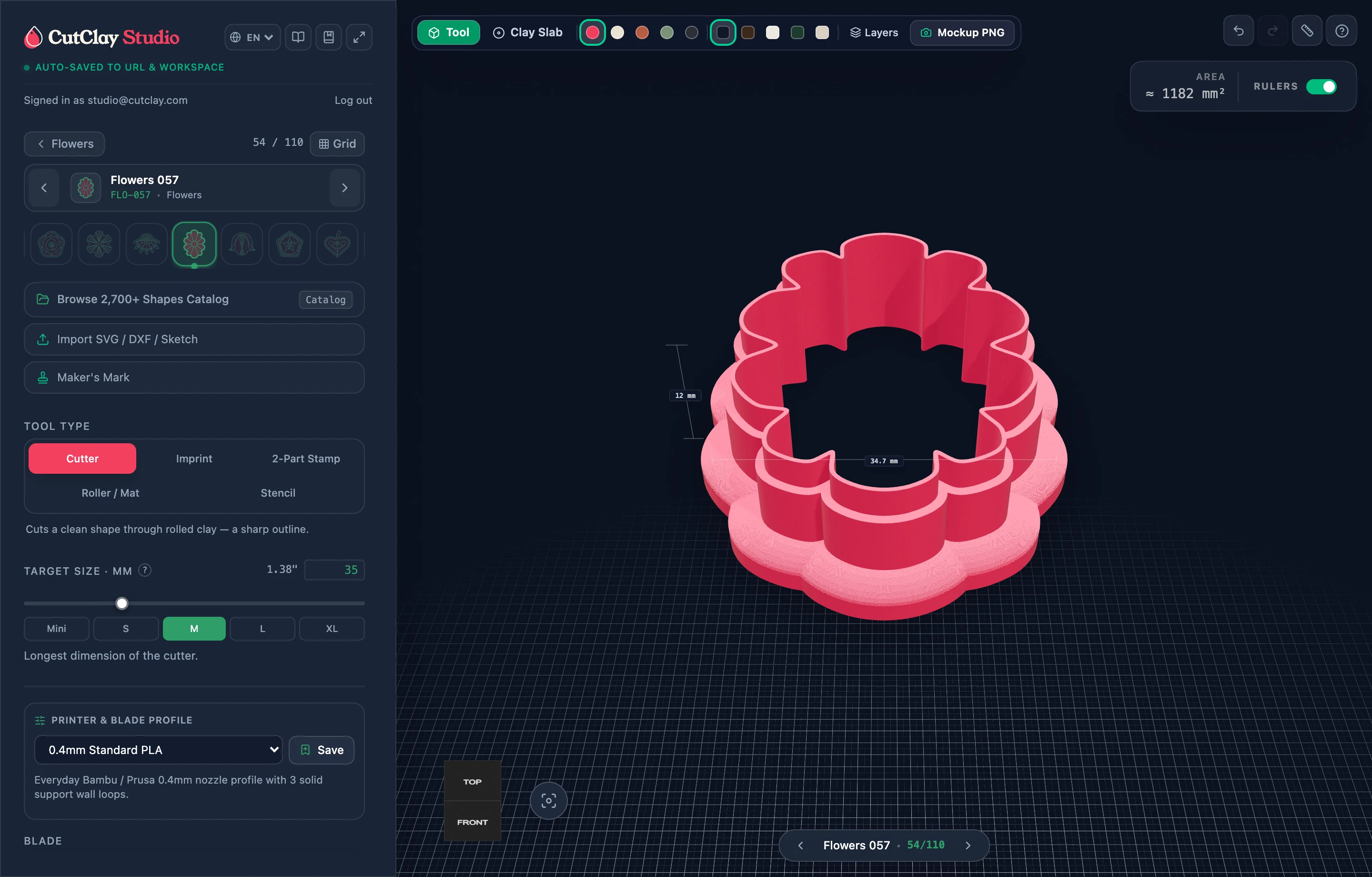 Guide 01
Workspace & 3D Viewport
Understand the two-pane CAD interface, switch instantaneously between engineered cutter inspection and photorealistic Clay Slab mockups, and verify true millimeter dimensions with scale props.
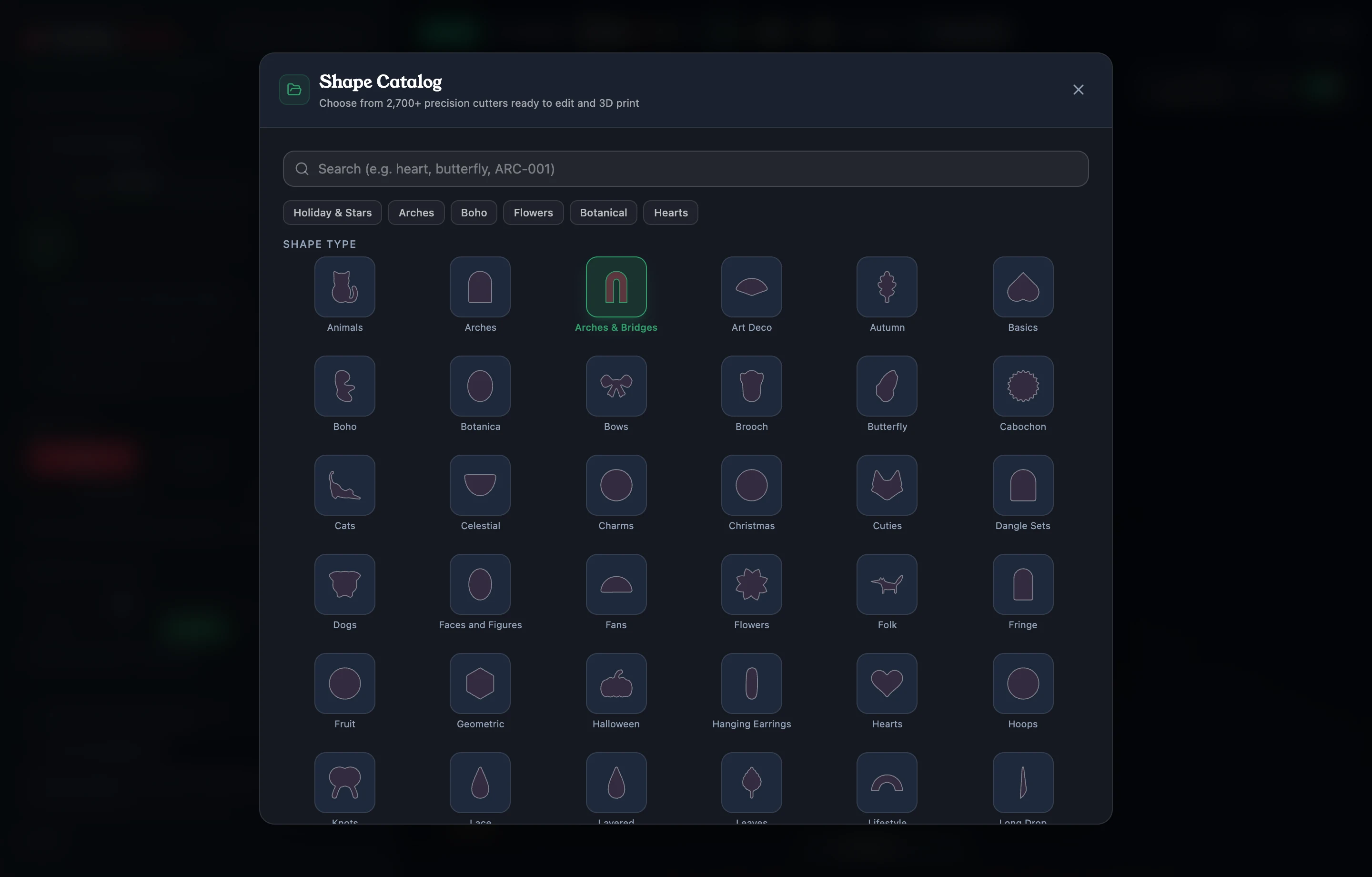 Guide 02
2,800+ Shape Catalog
Search by motif, filter across curated collections, pin Favorites for repeat batches, and switch shapes rapidly with the bottom filmstrip.
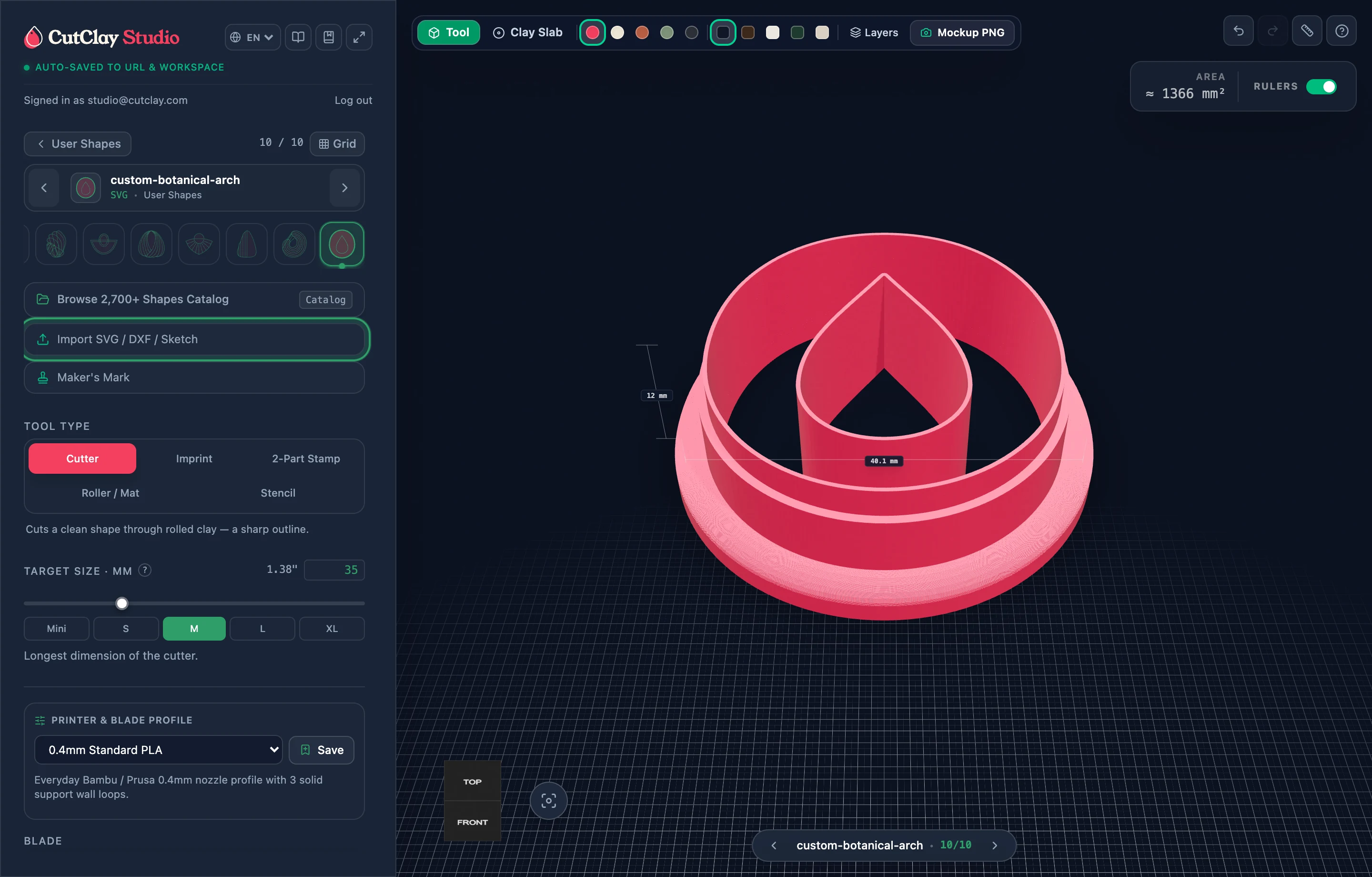 Guide 03
Import SVG, DXF & Sketches
Drag and drop vector files or raster drawings directly onto the Studio sidebar or viewport, understand how outer contours vs interior details are classified, and prepare ultra-clean artwork.
Core Tool Modes
Master all 5 CutClay tools: Clay Cutters, One-Piece Imprints, 2-Part Plunger Stamps, Rollers & Stencils.
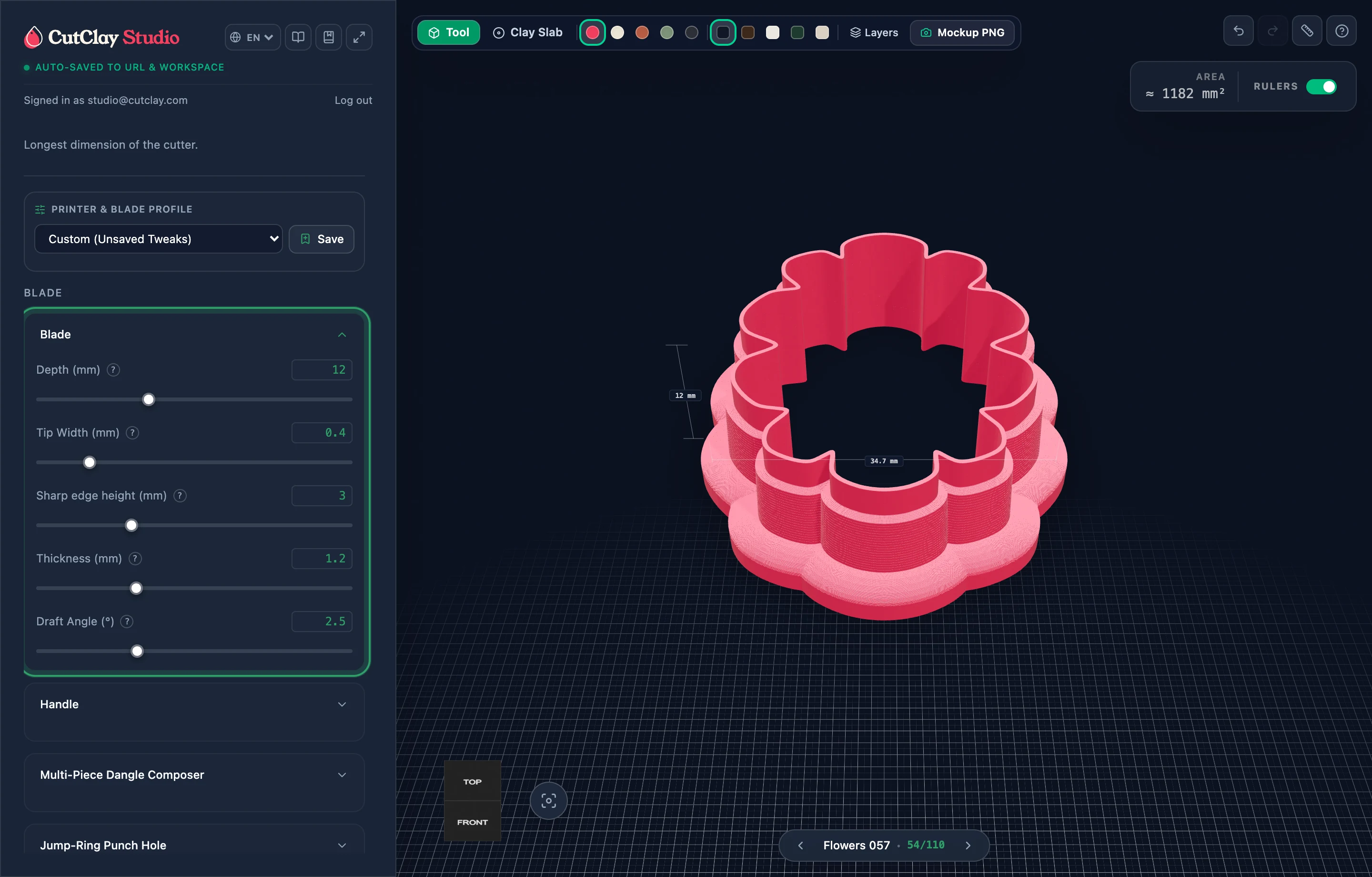 Guide 04
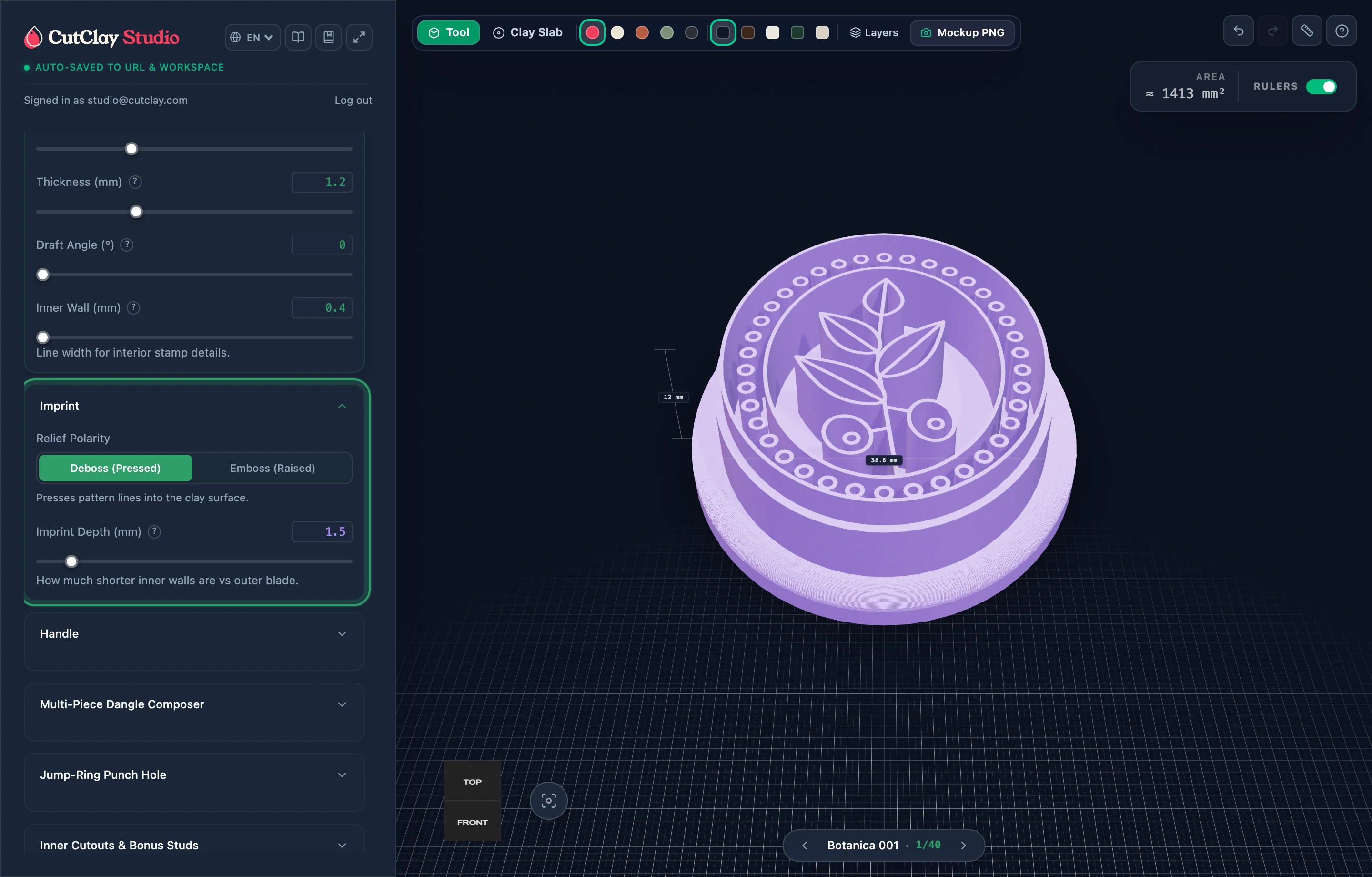
Clay Cutter & 3-Tier Blade
Master the engineered 3-tier blade cross-section that pairs a razor-clean 0.4 mm cutting column with a rigid 1.2 mm support wall, outward suction-free draft taper, and reinforced press handle.
 Guide 05
Imprint Cutter Mode
Cut the outer earring outline and press intricate interior artwork into raw clay in one downward motion using calibrated recessed ribs.
 Guide 06
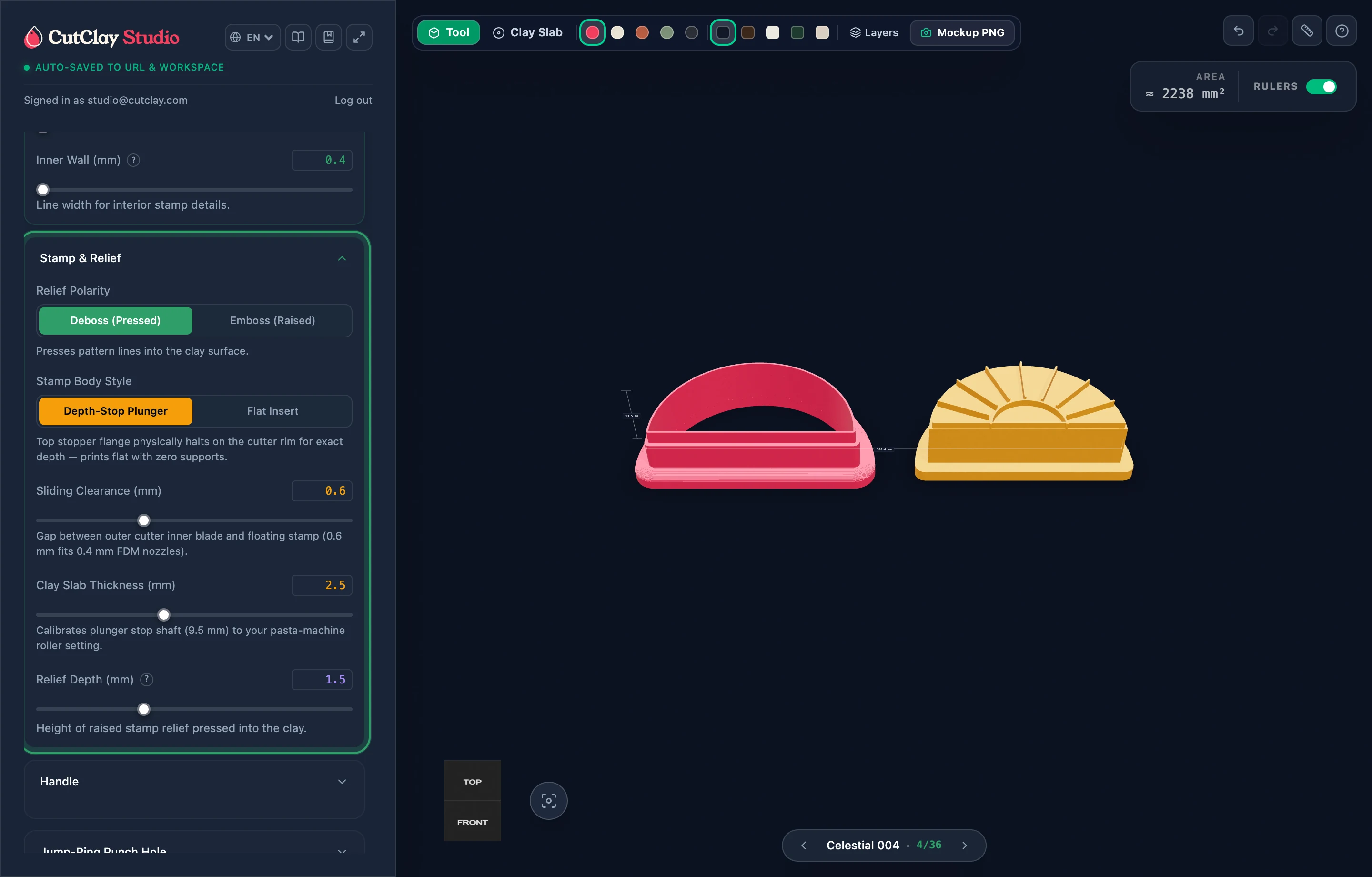
2-Part Plunger Stamp
Eliminate crooked stamping and trapped clay suction with matched outer blade + independent sliding plunger sets engineered to 0.6 mm clearance.
 Guide 07
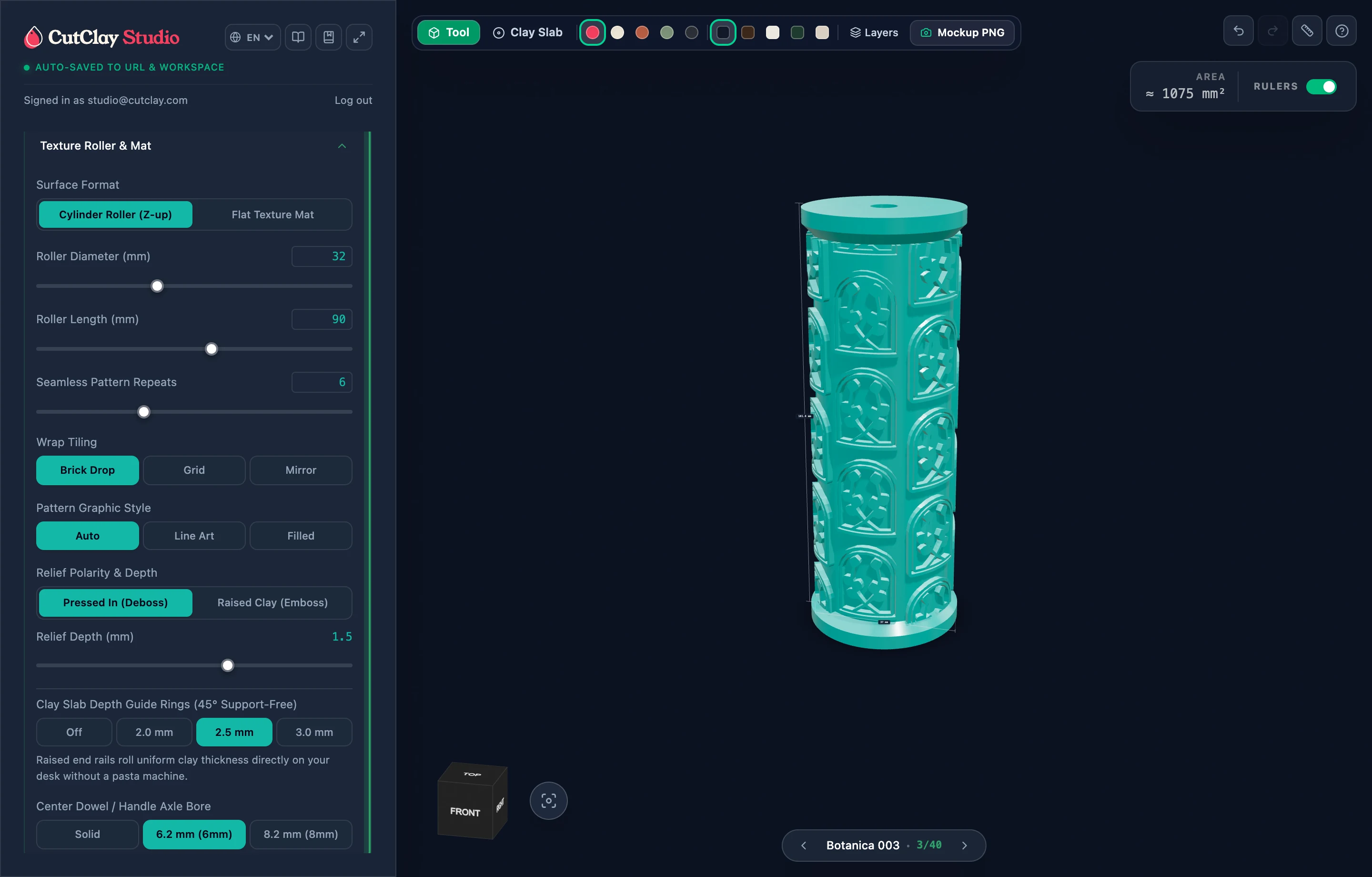
Texture Roller & Flat Mat
Wrap botanical, geometric, or lace patterns 360 degrees around support-free upright cylinders with optional thickness rails, or flip to Flat Texture Mats with Brick Drop and Mirror tiling.
 Guide 08
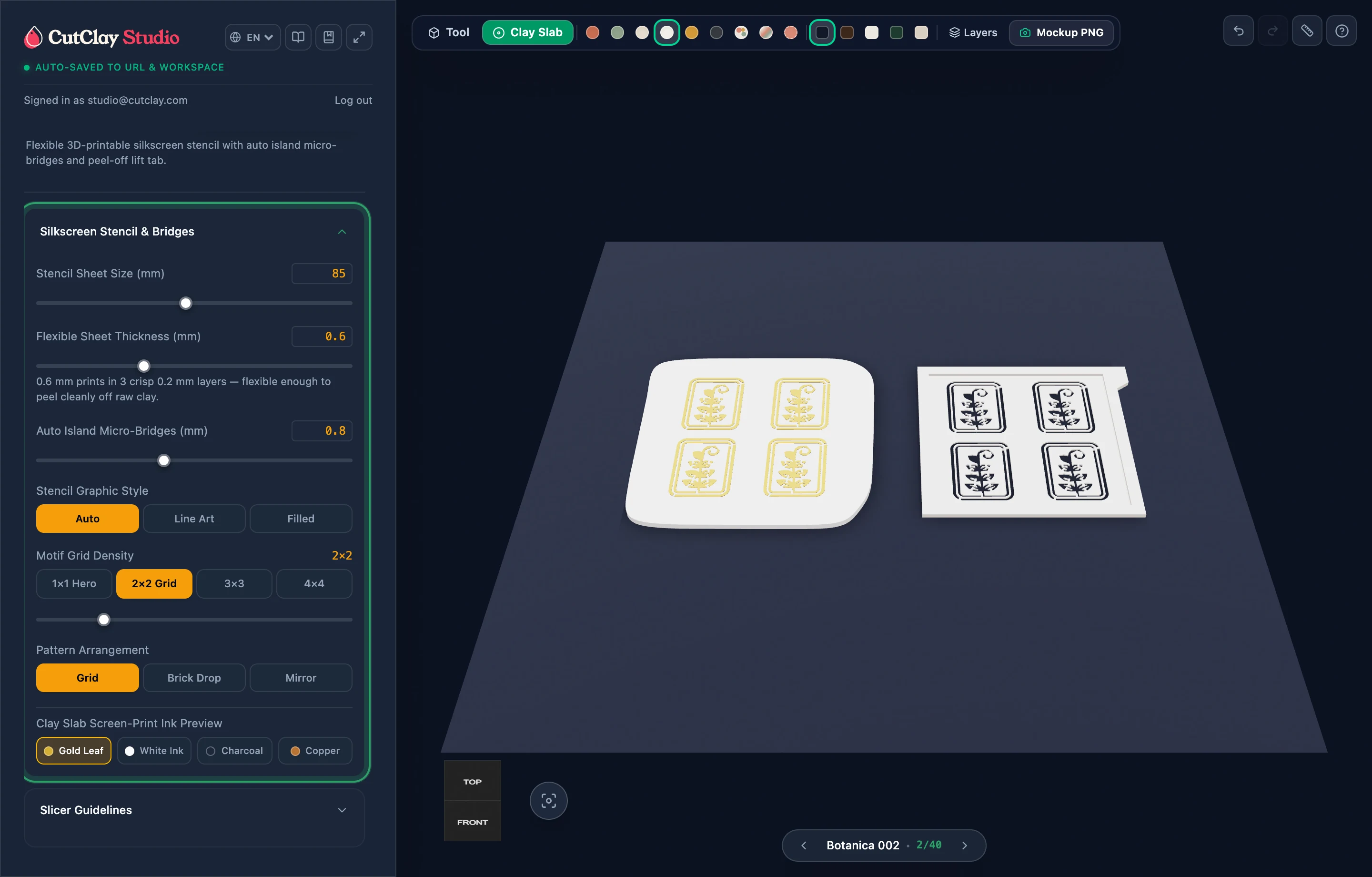
Silkscreen & Paint Stencils
Print flexible 3-layer paint, mica, and screen-print stencils right on your FDM printer—with automatic floating island bridges so flower centers and letter insides never fall out.
Jewelry & Branding Power Tools
Stack multi-piece dangle earrings, extract zero-waste bonus studs, build post-bake jigs, and craft monograms.
 Guide 09
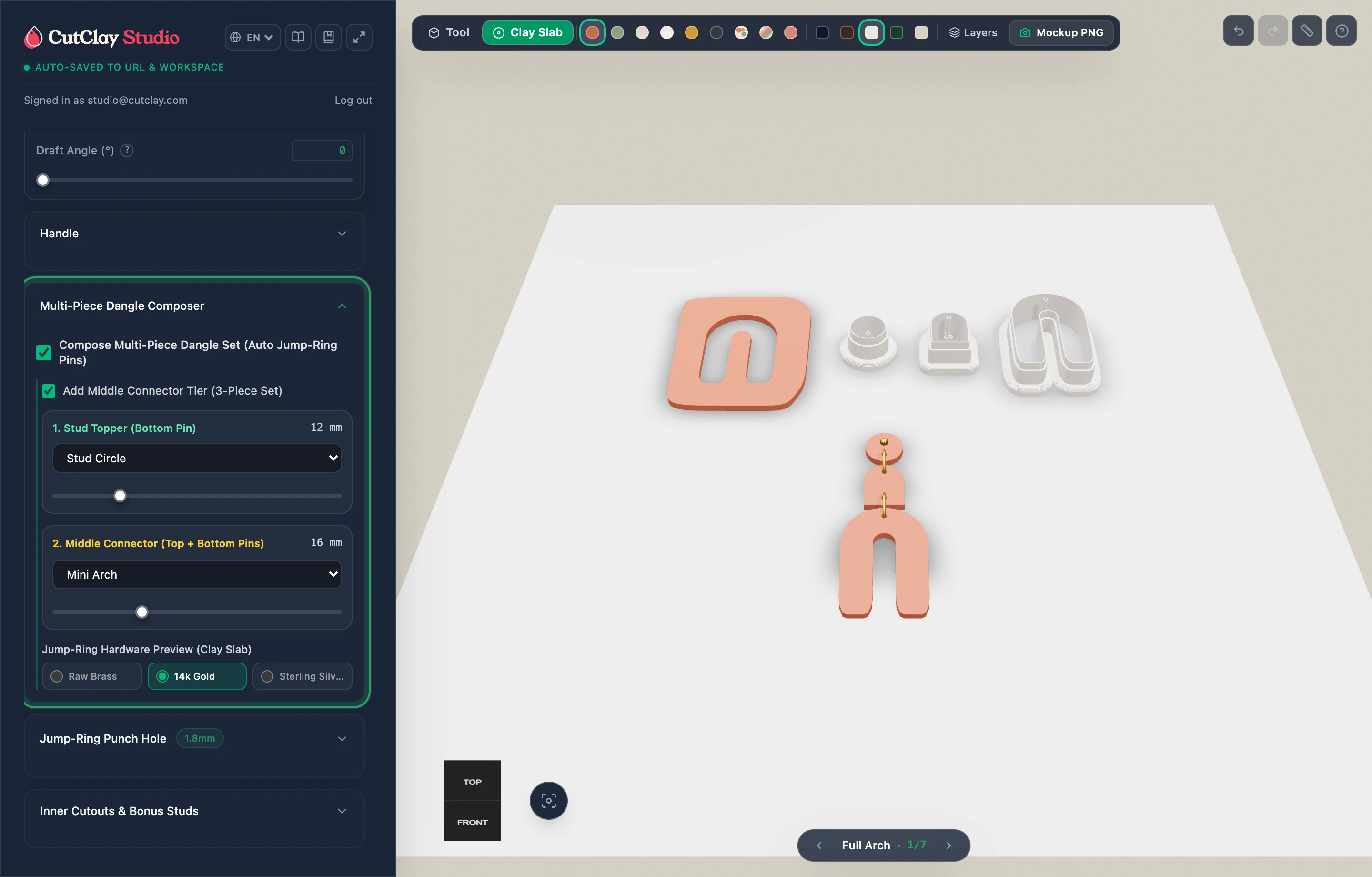
Multi-Piece Dangle Composer
Stack matching stud toppers, middle connectors, and main drops cleanly aligned along a central axis, pierce calibrated jump-ring holes on every tier, and preview metallic jewelry findings.
 Guide 10
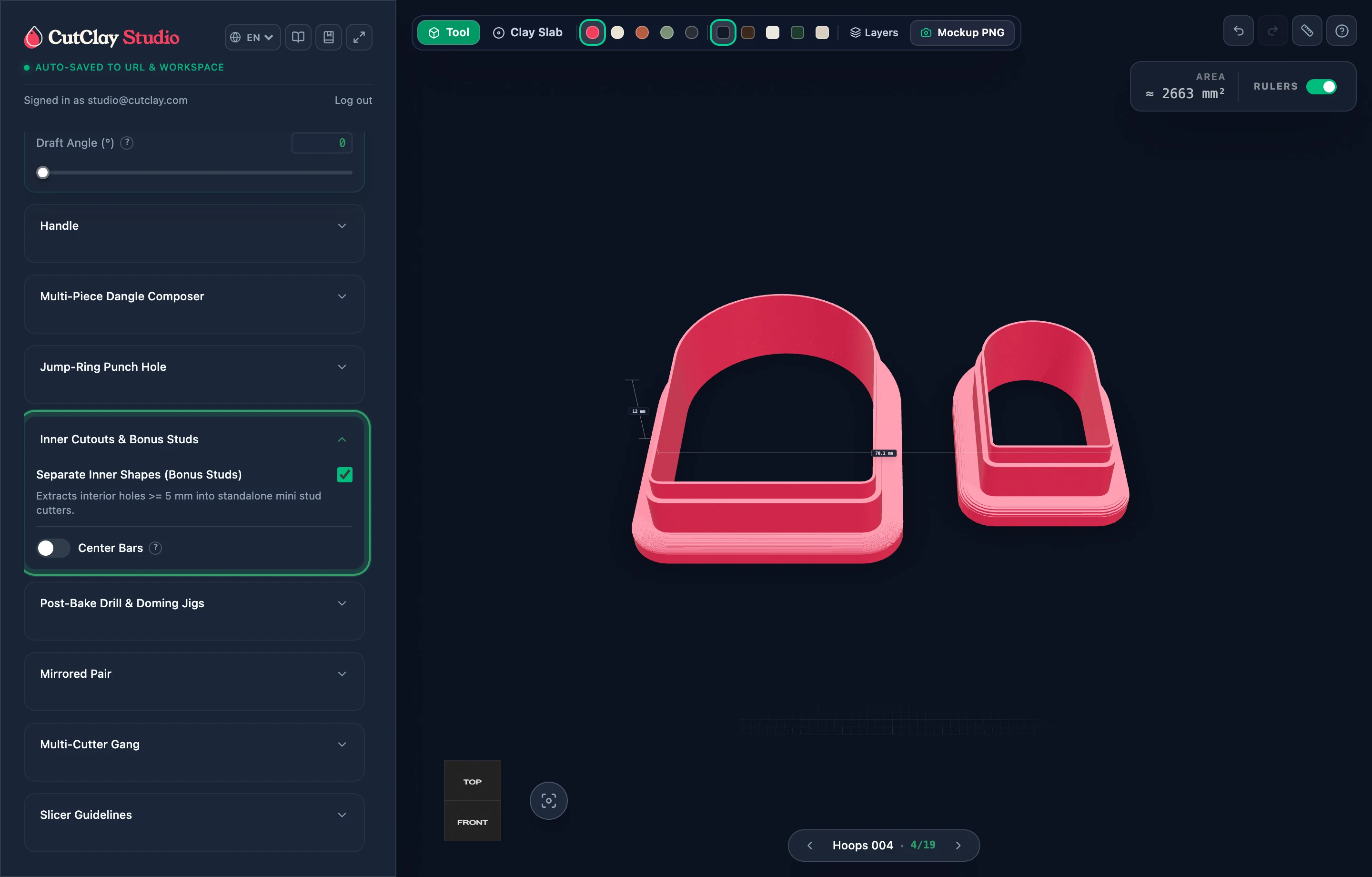
Zero-Waste Bonus Mini Studs
Stop throwing away window arch and hoop clay cutouts—extract interior loops (>= 5 mm) into independent mini stud cutters placed right beside your main shape.
 Guide 11
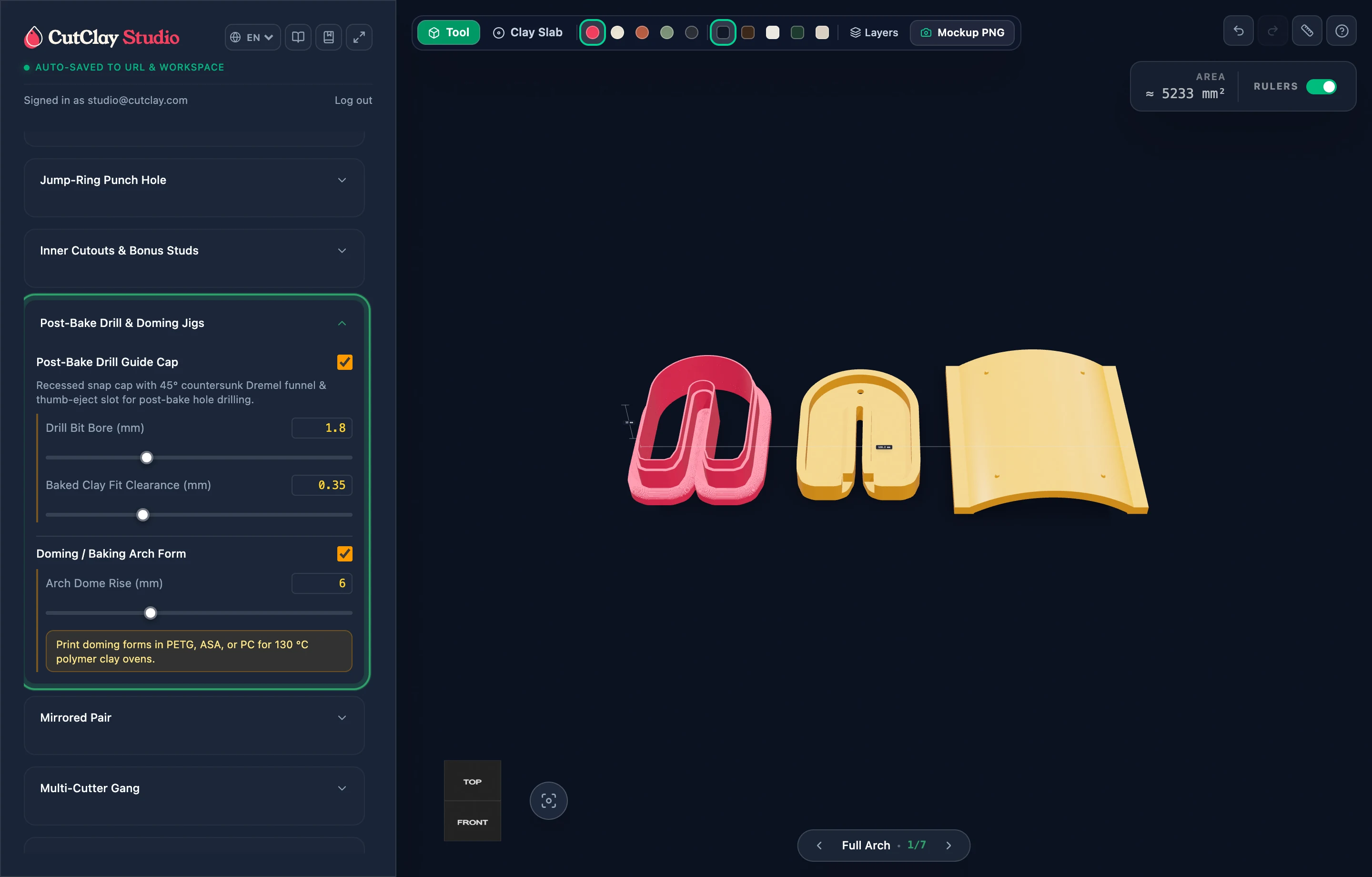
Post-Bake Drill & Doming Jigs
Drill dead-center assembly holes after baking without wandering Dremel bits, and cure sculptural arched earrings cleanly using custom contour-matched baking forms.
 Guide 12
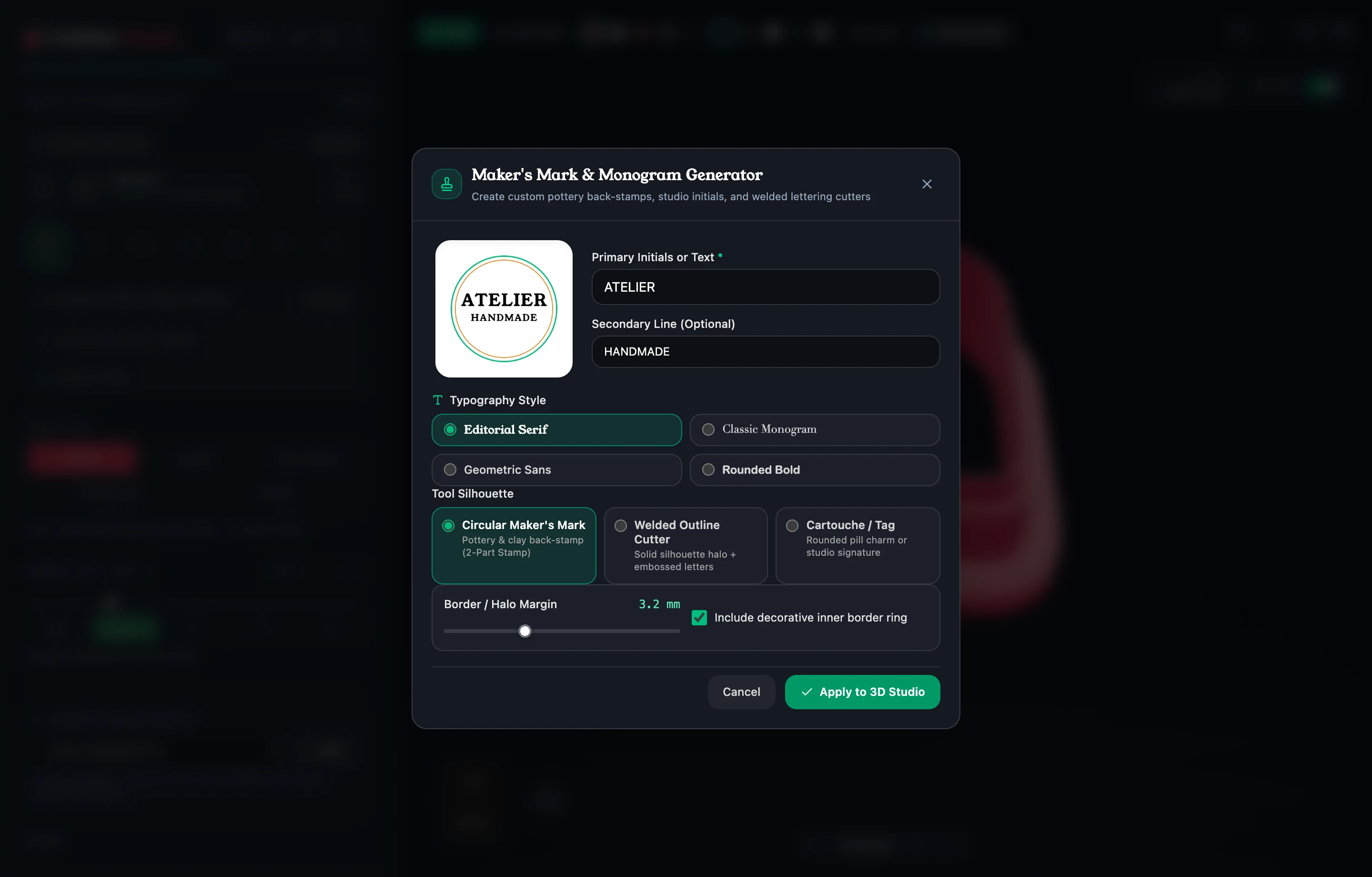
Maker's Mark & Monograms
Brand the reverse side of pottery mugs, ceramic dishes, and clay earring backs without designing vector text externally—complete with frame borders, halo margin, and typography styling.
Batch Production, Export & 3D Slicing
Generate mirrored pairs, gang plates, 5-size Sister Sets, nested .3MF plates, and clean Arachne slicer prints.
 Guide 13
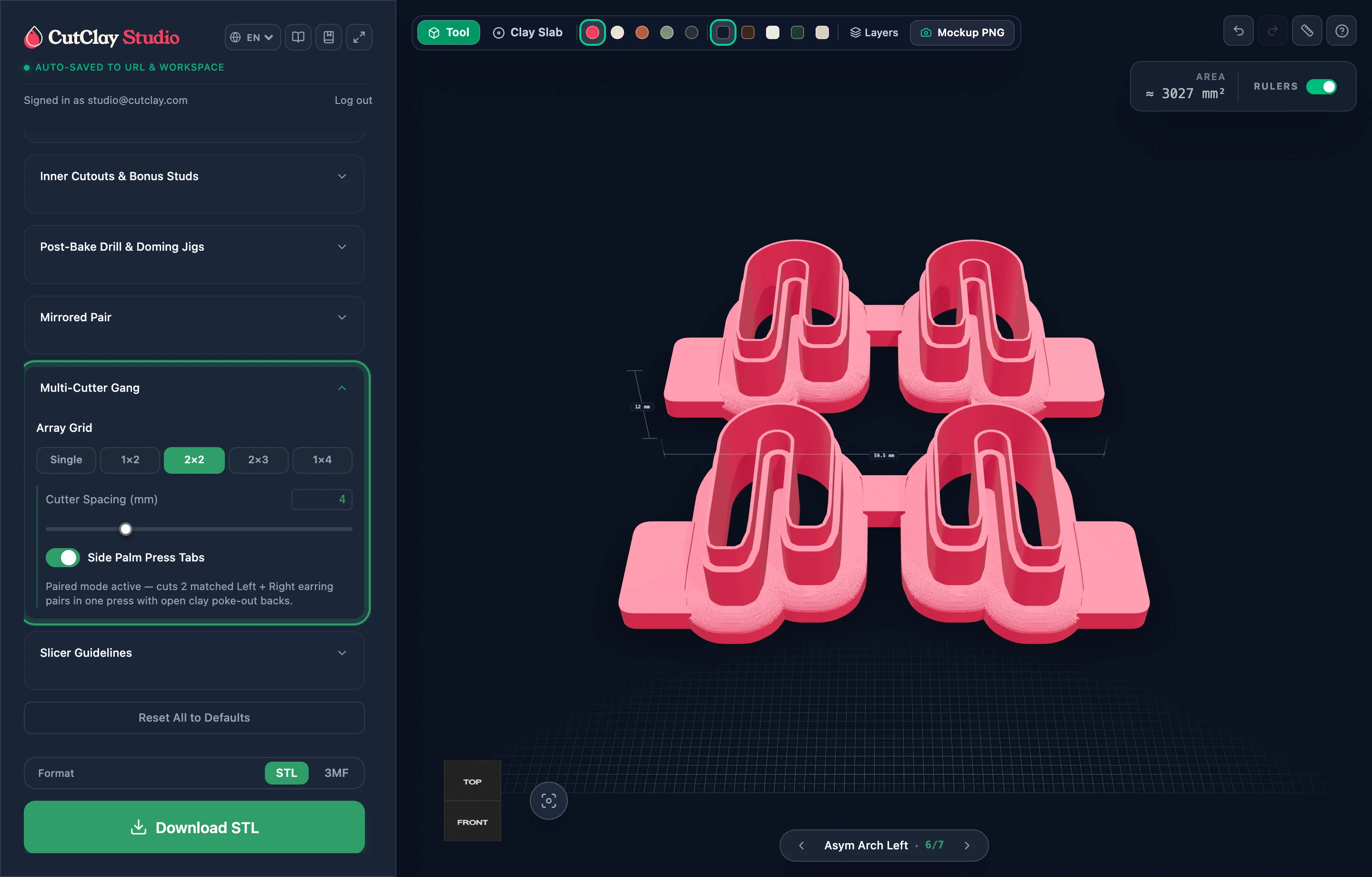
Mirrored Pairs & Gang Plates
Produce balanced symmetrical left/right earring pairs and speed up craft-fair prep with fused multi-cutter gang grids equipped with open poke-out tops and side palm tabs.
 Guide 14
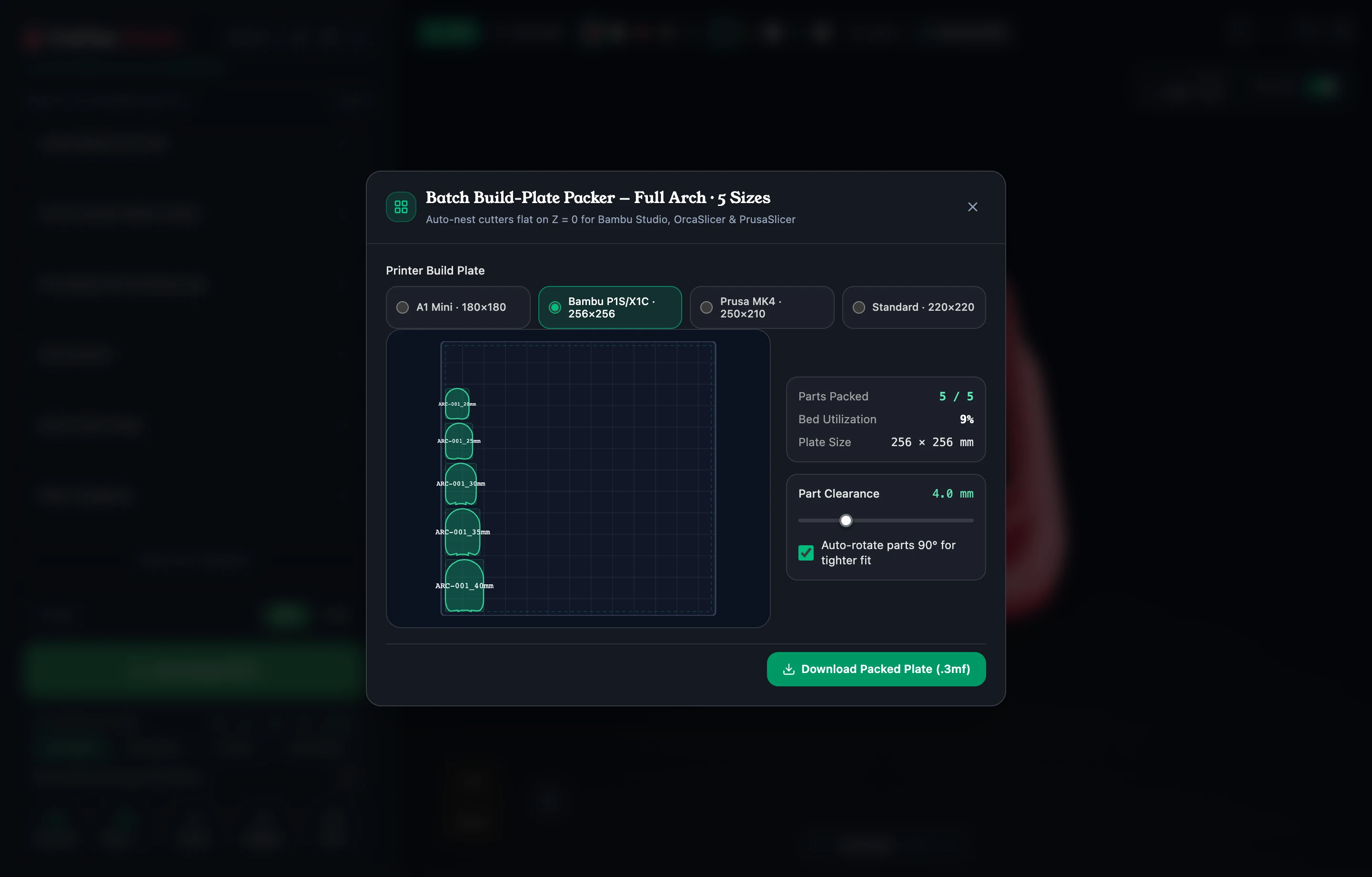
Sister Sets & Build Plate (.3MF)
Scale any cutter into 5 perfectly graduated studio sizes without ever thickening the cutting wall, then pack every cutter flat on Z = 0 onto your exact printer plate in one .3MF download.
 Guide 15
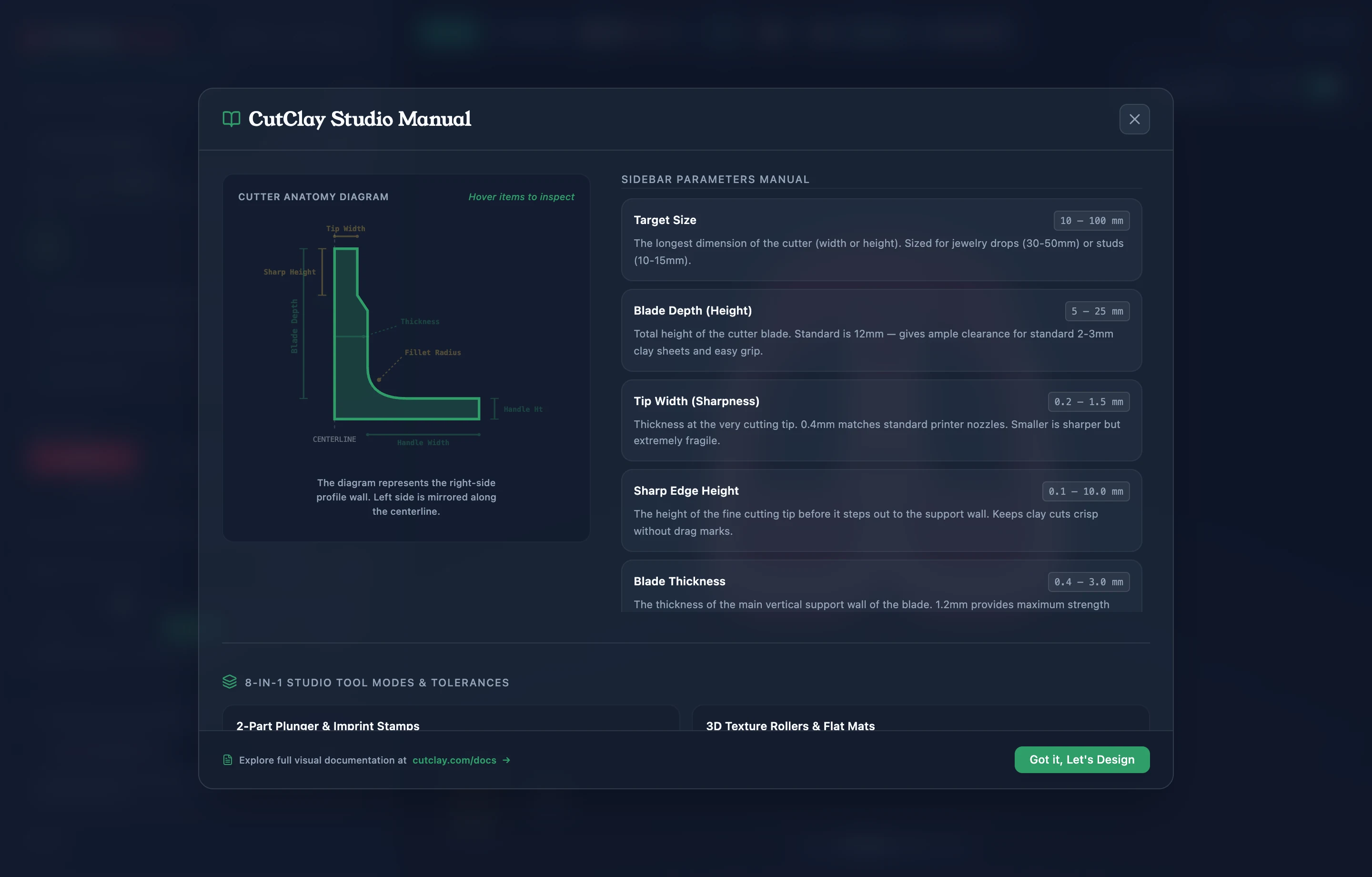
3D Slicer Settings & Troubleshooting
Print crisp, gap-free cutting blades on your very first attempt using CutClay Studio's built-in Slicer Guidelines calculator, Arachne slicing, and filament tips.
Clay Mockups, Cloud Library & Apps
Render listing-ready 2400px Clay Slab mockups, print 1:1 sizing sheets, save to My Designs, and sync across devices.
 Guide 16
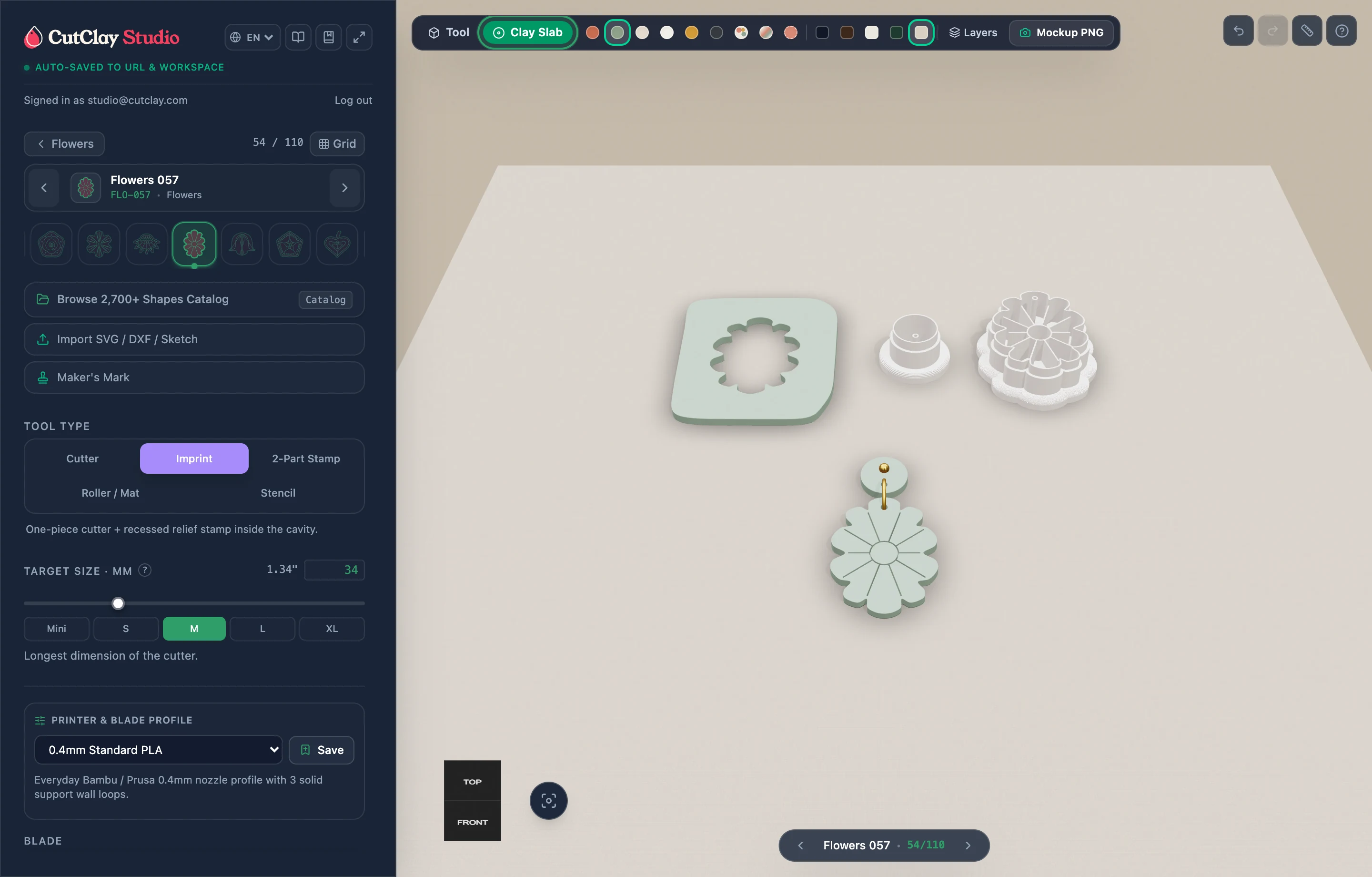
Clay Slab Mockups & PNG Export
Turn your CAD session directly into studio product staging: drag and rotate loose clay pieces across textured work surfaces, recolor swatches, and download 2400px PNG mockups.
Guide 17
My Designs, PDF Sheets & Apps
Keep studio collections organized across web and native Apple devices, verify dimensions on physical paper via 1:1 PDF spec sheets, and collaborate through compact recipe links.
Ready to Turn These Settings Into Ready-to-Print STL Files?
Launch CutClay Studio directly in your browser—no downloads or complex booleans required. Export single cutters, packed plates, and mockups in seconds.