
Geometric silhouettes—especially the Equilateral Hexagon, diamond, and octagon—occupy a prime spot in modern jewelry design. Their crisp angles, balanced proportions, and minimalist Scandinavian aesthetic make them perennial favorites for statement dangles, honeycomb studs, and multi-piece modular drops.
However, when makers attempt to 3D print and cut geometric polygons, they run into the Sharp Corner Dilemma:
- Clay Wedging in Vertices: Clay compresses into the sharp interior corners, sticking tightly and distorting the geometric blank during demolding.
- Brittle Corner Vertices: Sharp 3D-printed vertices create concentrated stress points that can chip or snap after just a few dozen cuts.
- Z-Seam Blobbing: If a 3D slicer places its layer start/stop seam right on a vertex, it creates an unsightly blip that ruins an otherwise sharp corner.
In this third tutorial of our Shape Series, we walk through configuring a commercial-grade Hexagon cutter in CutClay Studio—complete with reinforced outer geometry, proper vertex relief, and slicer settings that guarantee clean release every single time.
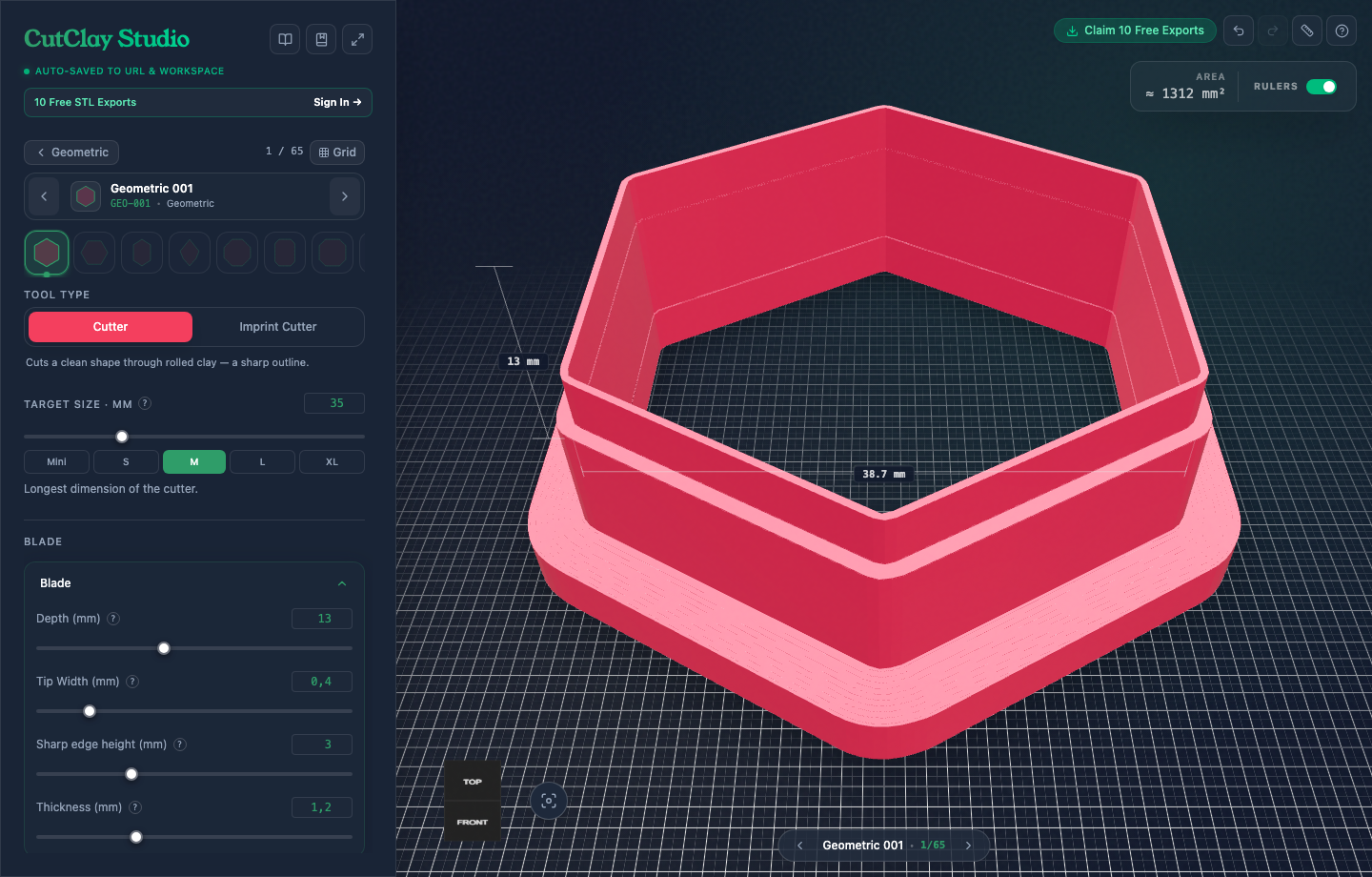
Step 1: Choose Your Geometric Base & Proportion
Open CutClay Studio with Geometric 001. The studio instantly calculates the mathematical regular hexagon onto the 3D grid with live millimeter dimensions.
Under Cutter Size, choose your target dimension:
- 35 mm (Midi Statement): The optimal balance between visual presence and earlobe comfort. Large enough to display textured slab details (such as silk-screened patterns or botanical inlays) while remaining lightweight.
- 45 mm – 50 mm: Bold architectural statement earrings.
- 18 mm – 22 mm: Minimalist geometric studs or multi-tiered connector drops.
Step 2: Blade Geometry & Vertex Reinforcement
The secret to printing durable geometric cutters is pairing an ultra-sharp 0.4 mm cutting edge with a stiff, tapered wall that reinforces each corner from the outside:
- Tip Width:
0.4 mm— Matches your 0.4 mm nozzle for a single, sharp perimeter line that divides clay cleanly without dragging. - Blade Thickness:
1.2 mm— Adds rigid structural mass directly behind the cutting edge. This prevents the hex walls from bowing inward when pressed into dense, firm clay brands like Kato or Premo. - Blade Depth (Height):
13.0 mm— Gives generous vertical clearance so your knuckles and palms never accidentally touch the clay slab. - Sharp Edge Height:
3.0 mm— The vertical distance the sharp 0.4 mm blade extends before smoothly tapering outward into the 1.2 mm body.
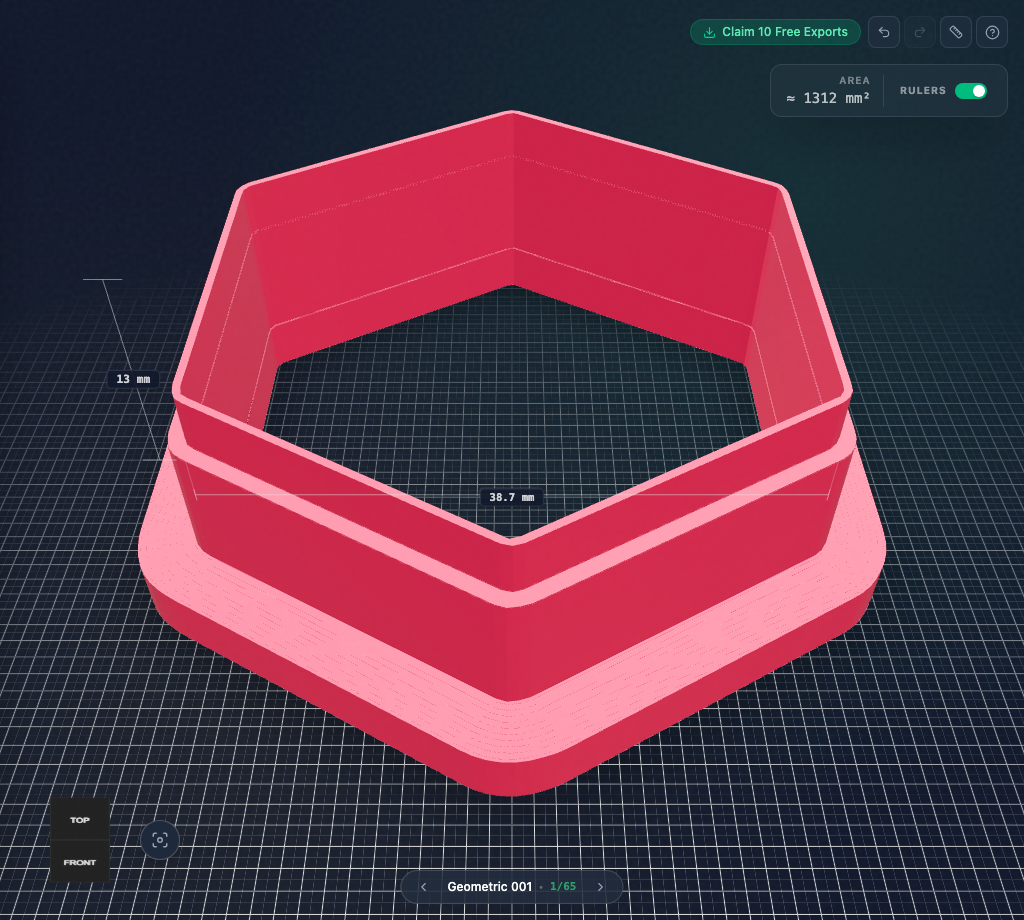
Step 3: Ergonomic Flange for Even Downward Pressure
Because geometric shapes require firm, balanced downward pressure across all six sides simultaneously, a wide pressing base is critical:
- Handle Width:
3.0 mm— Creates a wide, rounded perimeter flange that prevents thumb fatigue during long production runs. - Handle Height:
3.0 mm— Ensures the base does not flex or peel apart along layer lines.
Notice that CutClay applies all bevels and handle offsets strictly outward. The interior cutting contour remains a pure, uncompromised geometric polygon with sharp interior vertices, guaranteeing that your clay blank has perfectly crisp angles.
Step 4: Export Print-Ready STL or 3MF
When your design is ready:
- Click Export in the top header.
- Select STL or 3MF.
- The file downloads immediately. The mesh is 100% manifold, watertight, and validated for error-free slicing.
Instant Hexagon Template Link:
Load this exact 35mm Hexagon cutter template directly in your browser:
Launch the 35mm Hexagon Cutter Template in CutClay Studio →
Step 5: Slicer Settings for Sharp Geometric Vertices
Slicing sharp polygons requires specific attention to perimeter generation and seam positioning:
| Setting | Recommended Value | Engineering Rationale |
|---|---|---|
| Nozzle Size | 0.4 mm | Direct 1:1 match with the 0.4 mm blade edge |
| Layer Height | 0.16 mm | Produces smooth, stair-free wall bevels |
| Wall Loops / Perimeters | 3 walls | Fills the entire blade with solid plastic (no hollow cavities) |
| Seam Position | Rear / Center of Flat Edge | Never place the seam on a corner vertex to prevent blipping |
| Material | PLA+ or PETG | High rigidity and sharp perimeter definition |
Studio Tips: How to Prevent Clay from Sticking in Corners
Because geometric corners trap air pockets, follow these three proven studio practices for clean release:
- Light Cornstarch Dusting: Dip the cutting edge lightly into a shallow container of cornstarch or baby powder before each cut. The micro-fine powder acts as a dry lubricant, allowing the clay to release instantly without sticking in the 60°/120° angles.
- Press Flat, Never Twist: Place the cutter onto your conditioned slab and press straight down with your palm. Never twist or rock a geometric cutter—twisting forces excess clay into the corners and ruins the sharp symmetry.
- Lift with a Flexible Tissue Blade: Once cut, do not attempt to peel the clay blank out with your fingernails. Slide a flexible tissue blade flat along your glass or ceramic work tile to lift the entire geometric blank in one smooth motion.
Conclusion
When engineered with clean 0.4 mm blade edges and reinforced corner tapers, geometric cutters produce clean pieces that need very little sanding after baking.
Ready to design your next collection? Explore our curated geometric library and create your custom cutters in CutClay Studio.